
It is designed to answer one question: what is the next best thing to do for this store. The page ranks your biggest opportunities and links straight to the setting that turns each one on.
MOBI Score is being rolled out to selected brands. If you cannot see it in your admin, speak to your MOBI representative.
Where to find it
When you are in a store, your score shows at the top of the navigation, above the store name. It shows your percentage and your stage. Select it to open the full MOBI Score page.
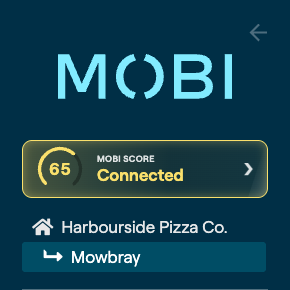
Each store has its own score, so if you run more than one store you will see a separate score for each.
How your score is made up
Your points come from three areas.
| Area | What it measures |
|---|---|
| Setup | The growth features you have switched on and are using |
| Revenue | How much the store sold in the last 30 days |
| Momentum | How your orders and revenue compare to last month and last year |
Under your percentage the page shows your earned points and the points available to your store. Your percentage is one out of the other.
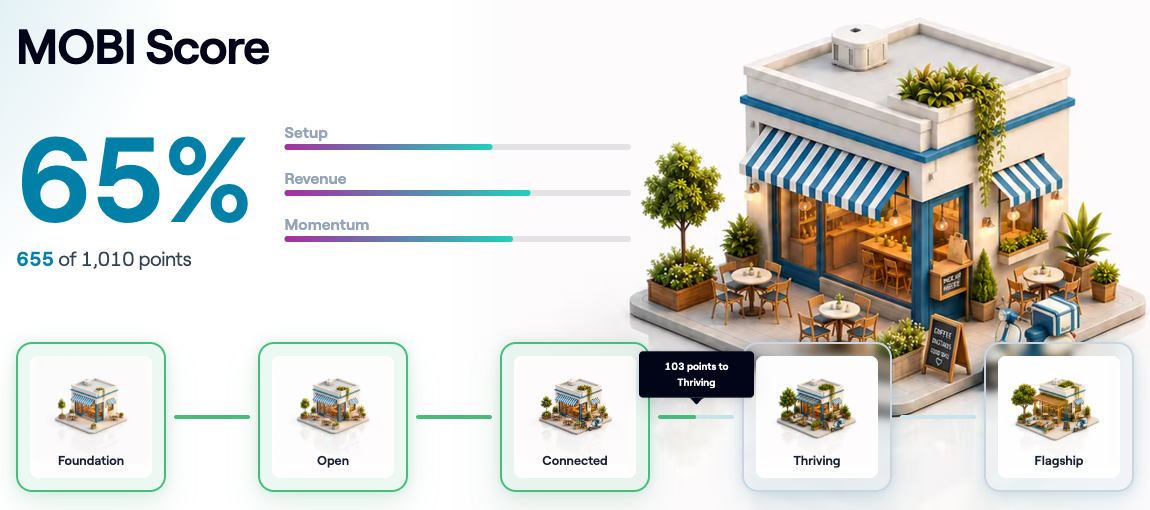
The points available can change. We add features to MOBI Score over time. Your percentage and your stage always reflect what is available to your store today.
The five stages
Your percentage sets your stage.
| Stage | Score |
|---|---|
| Foundation | 0 to 39% |
| Open | 40 to 59% |
| Connected | 60 to 74% |
| Thriving | 75 to 89% |
| Flagship | 90% and above |
The stage strip on the page shows where you are now and how many points you need to reach the next stage.
Top priorities
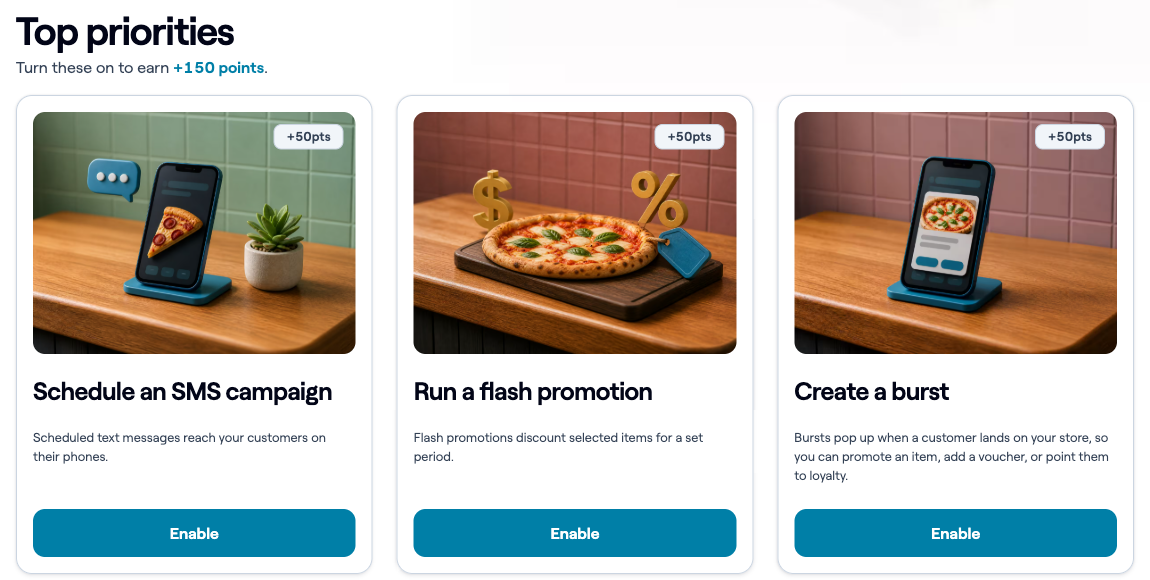
Under your score you will see your top three opportunities, with the points each one is worth. Select Enable on a card to go straight to the setting that turns that feature on.
A feature that only needs a setting scores the next time the page loads. Activity and sales are refreshed up to once an hour, so a new send or a new order can take up to an hour to count.
Setup: your growth features
Every growth feature is worth the same number of points. Some score as soon as the setting is on. Others also need recent activity, so switching a feature on and leaving it unused will not earn the points.
Your next steps lists the features that are not scoring yet. Completed lists the features that are.
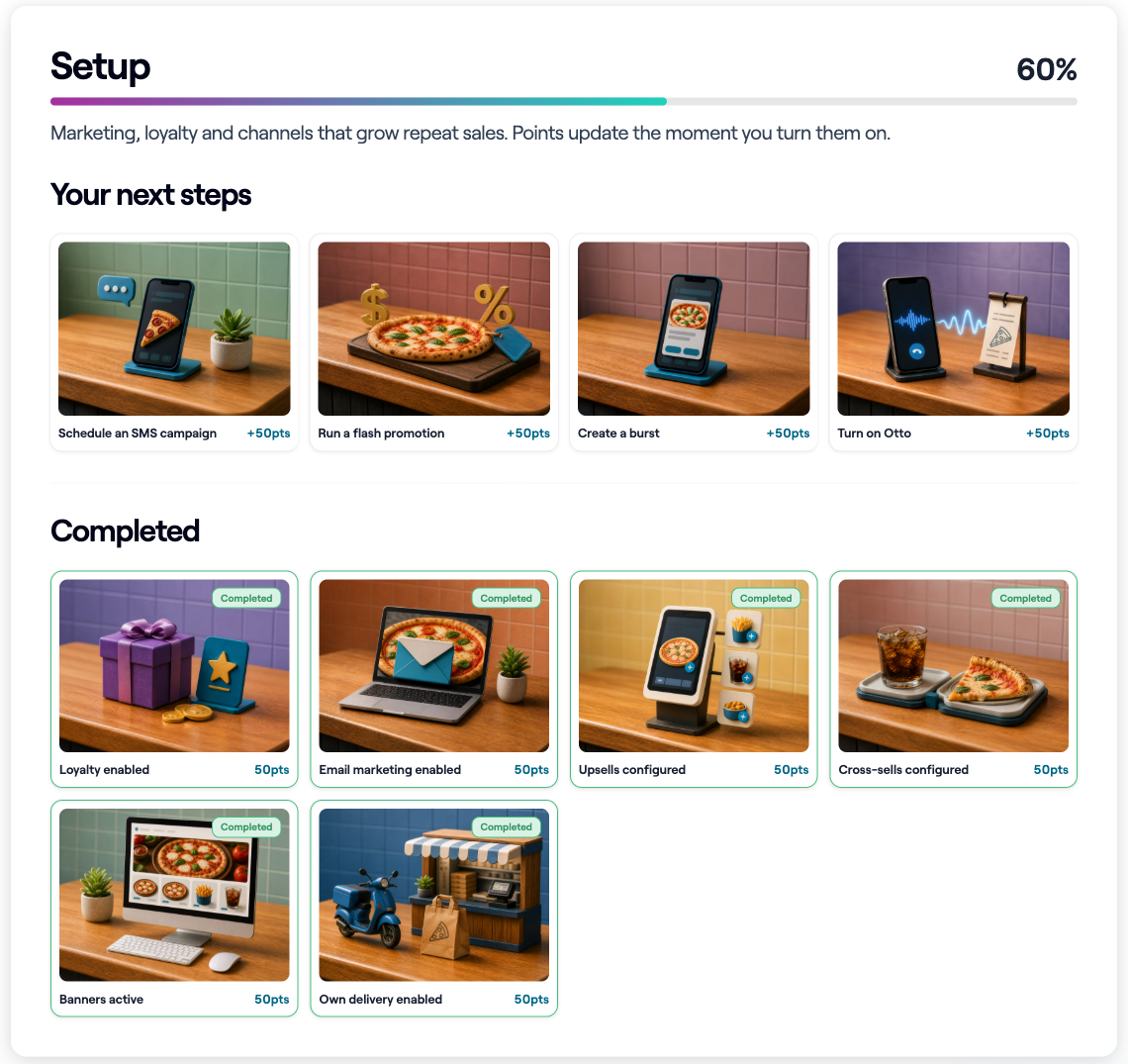
These are the features scored today.
| Feature | What earns the points |
|---|---|
| Upsells | Upsells turned on |
| Cross sells | Customer suggestions turned on |
| Banners | At least one banner enabled |
| Bursts | At least one burst enabled, running now and shown at this store |
| Otto | Otto added to the store |
| Loyalty | A loyalty program set up, plus loyalty card activity in the last 30 days |
| Email marketing | An email sent in the last 90 days |
| SMS marketing | An SMS sent in the last 90 days |
| Promotions | An active promotion, plus a discounted order in the last 30 days that did not come from a marketplace |
| Own delivery | Delivery turned on, plus a delivery order through your own storefront in the last 30 days |
Most of these features are set at head office level and apply to all your stores. If you log in to a store rather than to your head office, those cards will say Ask your head office instead of showing an Enable button.
Activity for loyalty, email, SMS and promotions is counted across your whole brand. A send or a discounted order at any of your stores counts for all of them.
Performance: revenue and momentum
About half of your points come from trading, not settings. Setup alone can take a store to Open at most.
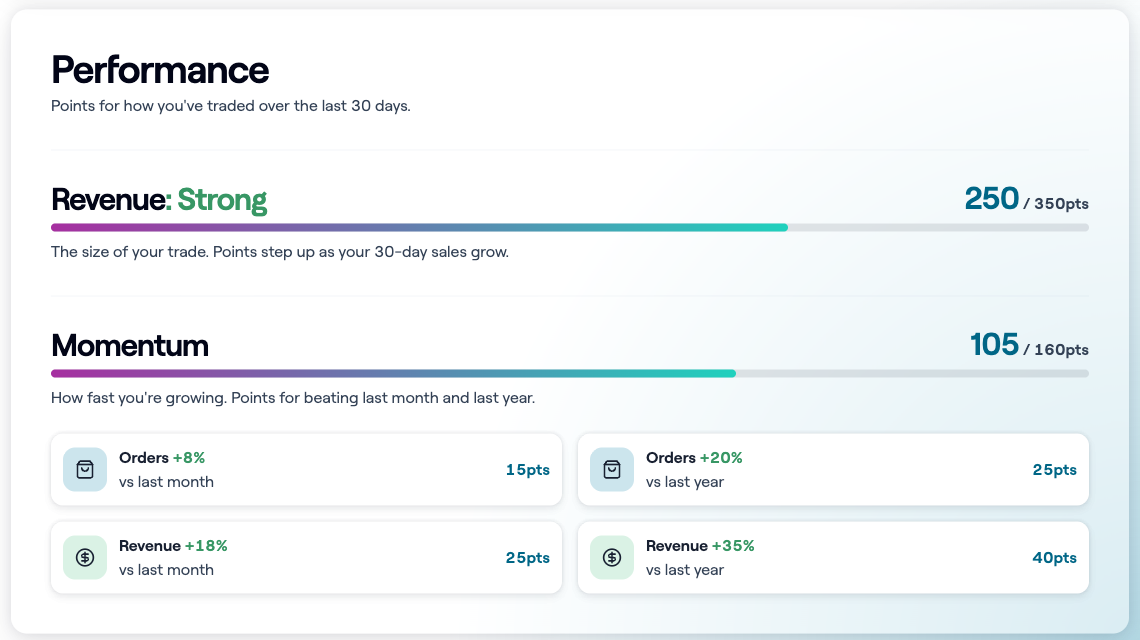
Revenue
Revenue points are based on your sales over the last 30 days. Your sales place you in a band, and each band up is worth more points. The bands, from lowest to highest, are:
| Band | Sales in the last 30 days (USD) |
|---|---|
| Starter | Up to $2,999 |
| Steady | $3,000 to $9,999 |
| Busy | $10,000 to $29,999 |
| Strong | $30,000 to $79,999 |
| Flagship | $80,000 and above |
Revenue is converted to US dollars before the band is worked out, so every store is compared on the same scale wherever it trades.
Momentum
Momentum rewards growth. Four measures are compared, and each one scores on its own.
- Orders against last month
- Orders against last year
- Revenue against last month
- Revenue against last year
A measure has to grow by at least 5% to score anything. There are higher tiers at 15% and 30%, and each tier is worth more than the one below it.
A measure needs at least 50 orders in both periods to be compared. Below that it shows Needs 50+ orders in both periods and scores zero. A store with no sales in the last 30 days sees a placeholder rather than a score.
Why a feature I turned on is not scoring
This is the most common question, and it is almost always one of these.
- The feature needs recent activity as well as the setting. Loyalty needs card activity in the last 30 days. Email and SMS need a send in the last 90 days. Promotions need a discounted order in the last 30 days.
- A burst only scores while it is running. A burst that is switched off, or scheduled outside today, does not count.
- Own delivery only scores on orders through your own MOBI storefront, not orders that arrive from a marketplace.
- The feature is controlled by your head office, so it has to be turned on there.
- The activity is recent. Activity and sales are refreshed up to once an hour, so check again later.
What is coming next
- Score history, so you can track how a store improves over time.